Zoho Sign Connector
Making a connection
Click the "Authenticate Now" button. This will redirect your browser to Zoho Sign. If you are not logged into Zoho, it will prompt you to log in. After that, it will ask if you want to allow StarfishETL to access your Zoho data. Click Accept, and you'll be redirected back to StarfishETL. You may now use this connection in your jobs.
| Parameter |
| OAuth Access Token |
| OAuth Refresh Token |
Downloading a PDF from Zoho Sign
StarfishETL has added a virtual table "downloadpdf" for this purpose. To download the pdf, you must pass the corresponding "Request ID" in as the criteria. A single column is returned called "base64" and contains the file data as a Base64 encoded string.
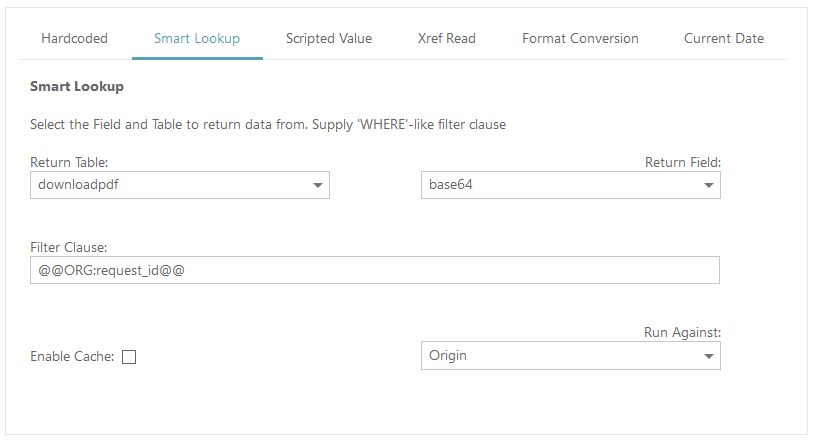 An example of using a Smart Lookup to fetch the attachment data